I imported obj’s and there are tags like “Groupxxxxx” in the selection tree under CAD. If I click on it to change the name, another browser pops up a window saying the project is locked and open in another browser. How do I change the names and stop the pop up??
Hi @user21205
What are you clicking on to change the name? Can you send a screenshot.
To change the name, you can do this via the meta propeties area.

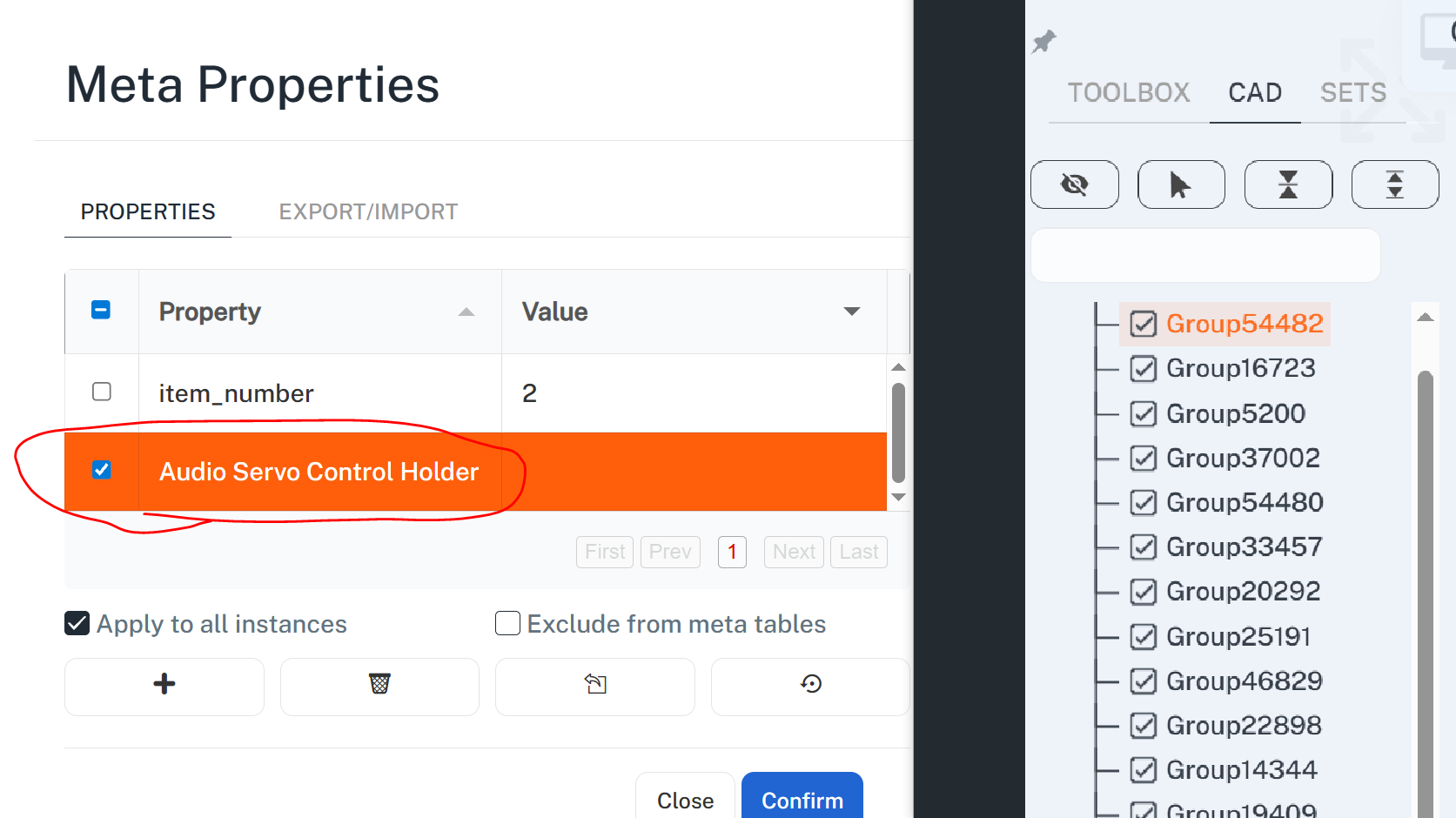
My Obj’s are not from a CAD program and therefore have no meta data. If I choose the OBJ and then meta data as shown in the video I can give it a name or detail, but when I save it doesn’t populate to the CAD section of the pop out on the right side. Remains “GroupXXXXX”
…Also unrelated…is it possible to have “selection sets” available to the viewer after publishing…so they can toggle on and off selection sets?
Thank you
Hi @user21205 WHen you add the property, the name is the name of the property, so in your case it should be “name” abd the value is what you want the name of the part to be…
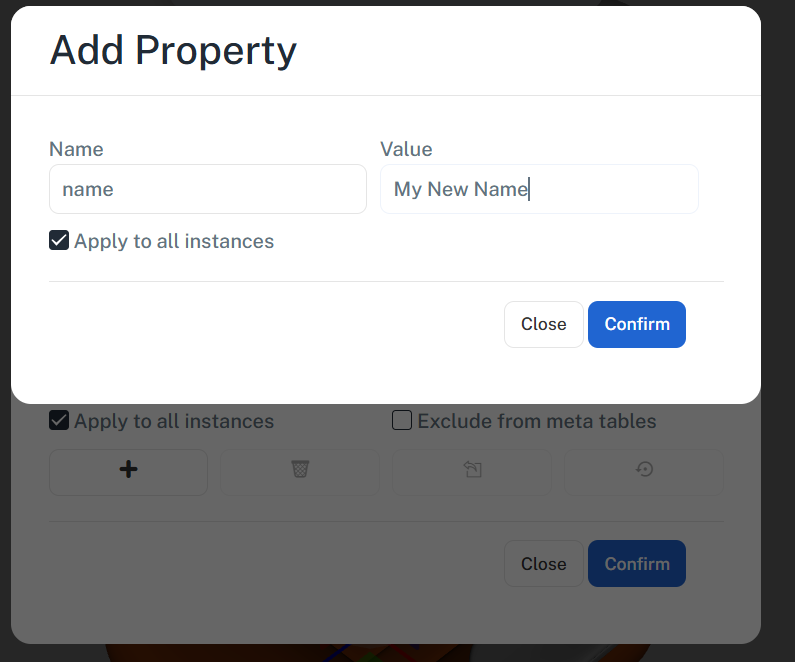
From your screenshot you have give the property a name of “audio servo…” but no value.
This is currently not available, but a good idea! I would suggest logging an enhancement request as the more people that vote for something the greater prioirty it gets