If i create text box in the designer while looking at the Default properties layout. Then adjust the layout for the different device type, everything seems to work fine. I think I understand the propagation goes down hill until there are device specific setting such as font size and window location. That makes sense. is there a way so that the TEXT itself will update? Such as a misspelling, would i have to look at each device type to change it, or is there something im missing,? i would have expected the “content” to all match.
We have tried to make Cadasio as flexible as possible, so any properties, including the content, that you change whilst in a device will be specific to that set of device properties. And yes the default behaviour is it rolls down as you say.
Whilst you can change the text content so its specific to a particualr device, I’d say this is quite unusual, most people would be positioning it, or changing its visibility. If you dont change the content whilst in a device, but change other things (shape, position etc) then I would expect any changes made to the content whilst in non device/desktop mode to still propagate down.
If you are double clicking the text, so the formatting toolbar comes up, and then changing it in any way, you are changing the content, which is what I suspect is happening here.
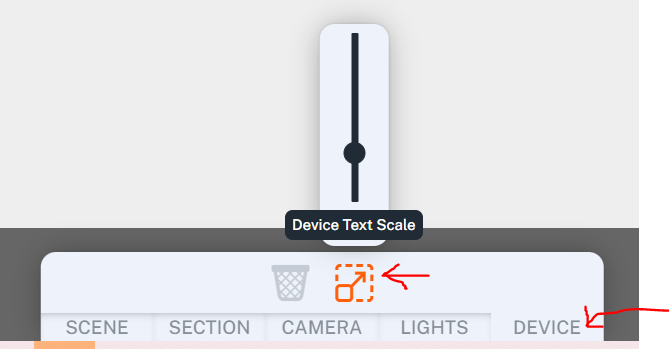
If you are purley are just changing the font size, you would be better off changing the device scaling, as that will affect all text, and you only have to do it once per device (do it on the first step and propagate)